Orders Management
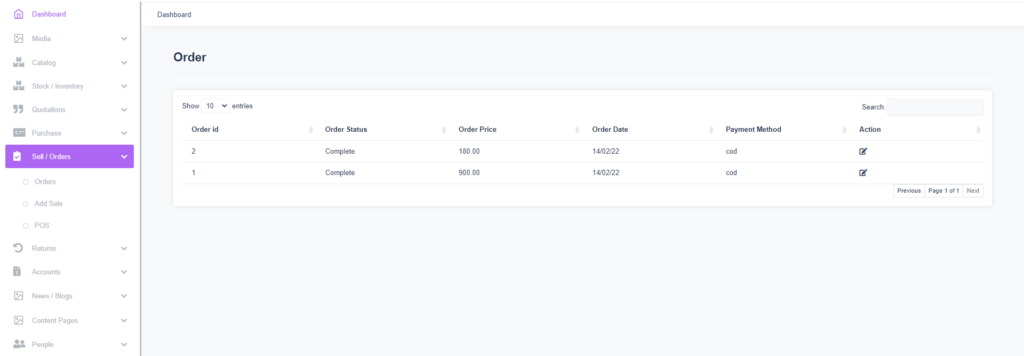
This chapter covers Order Details, Add sale, Orders List and POS.
Order Details#
Sell/Orders->Order Details
In order details you can check and manage the different order details that you have added by Click on Action Button.
Open https://your-site.com/admin/orders

Add sale#
In this section you can add the sale of the products that you have added according to your business.
- Select the quotation from the list.
- Select the warehouse from the list from where you want to make the sale.
- Select the customer from the customer’s list.
- Enter the sale date.
- Select the product from the product list.
- Click on the submit button to add the sale.
Click on the link below to check the sale section.
Open https://your-site.com/admin/add-sale

Orders List#
Sell/Orders->List
In this section you can check and manage the list of the sales that you have added.
Click the link below to check the list section.
Open https://your-site.com/admin/orders
POS#
Sell/Orders->POS
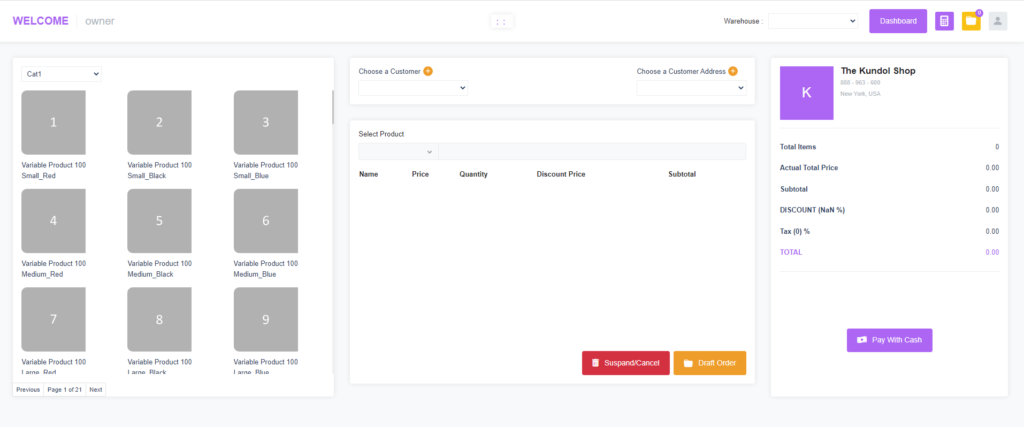
The POS (Point of Sale) section is where a retail transaction is completed. At the point of sale, the merchant calculates the amount owed by the customer, indicates that amount, may prepare an invoice for the customer, and indicates the options for the customer to make payment.
Click the link below to check the list section.
Open https://your-site.com/admin/pos