
Manage Admins
This chapter covers Add Biller, Add Purchaser, Add Roles, Add Customer and Add User.
Add Biller#
People->Biller
In this section you can add the biller and manage the list of all billers that have been added.
Here's a link to the biller section.
Open https://your-site.com/admin/biller
You need to add the following information.
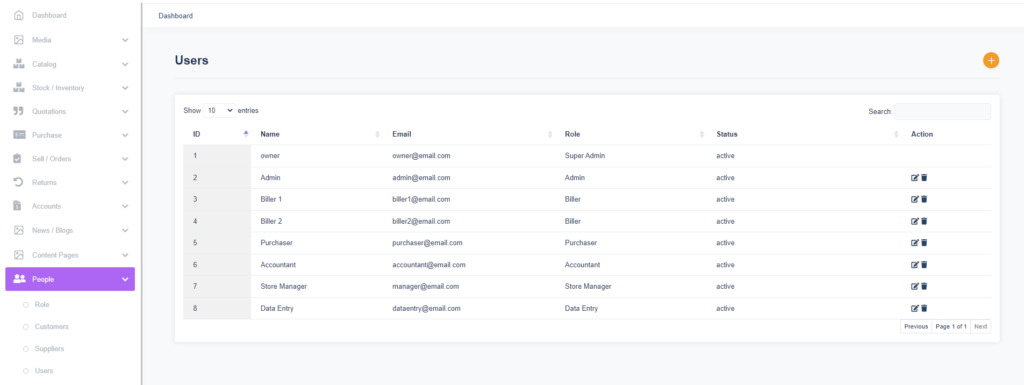
Name, city, address, phone number, Email, Vat number, Company Name, Country and State. You Need to Click on Plus Icon For add New Biller Select User Role as Biller
Add Purchaser#
People->Purchaser
In this section you can add and manage the purchasers. You can add,edit and delete the details of the purchaser.
Here's a link to the Purchaser section.
Open https://your-site.com/admin/purchasers
You will need to fill the following fields in order to add purchaser Information :
First name, Last name, address, Phone, Mobile, Country, City and state.
You Need to click on Plus Icon for adding new Purchaser Select User Role as Purchaser
Add Roles#
In people you have different roles that are connected to the admin panel. You can add different people i.e. purchaser,seller or customer.
People->Role
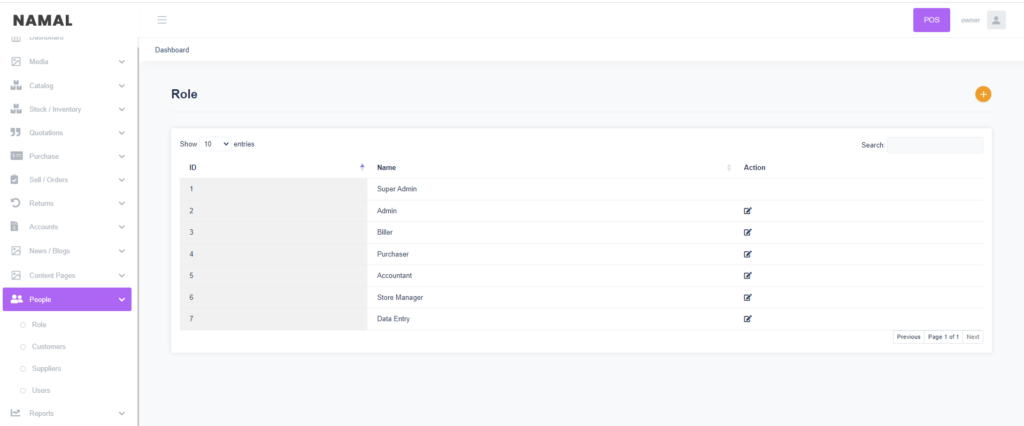
In this section you can check the list of different roles that you have created or the user that signed up on your website and application. You can check and manage all the roles in this section.
Here's a link to the role section.
Open https://your-site.com/admin/roles
You Need To Click on Plus Icon to add New Role
Add Customer#
People->Customer
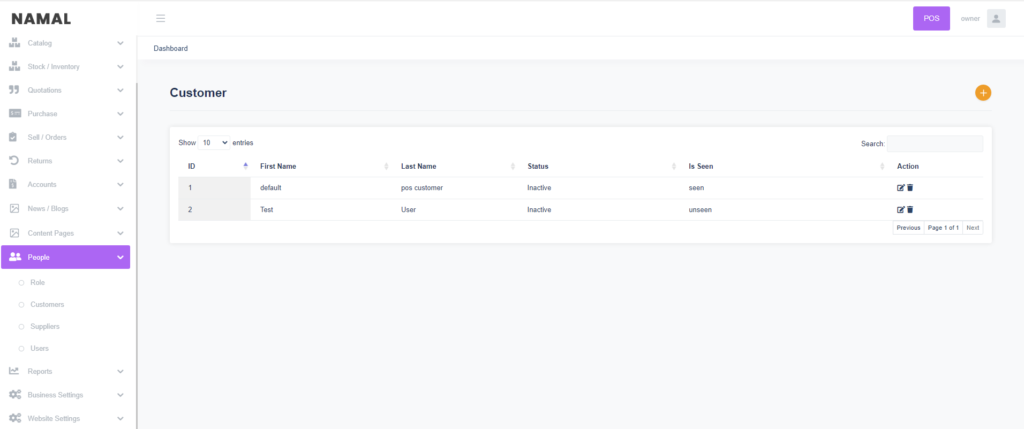
In this section you can add and manage the customers that have registered themselves on your website and mobile applications. You can easily add,edit and delete the users.
Here's a link to the customer section.
Open https://your-site.com/admin/customer
You will have to fill in the following Fields in order to add the customer.
First Name, Last Name, Email, Password and status. You Need to click on Plus Icon to add New Customer
Add User#
People->User
In this section you can add the user’s according to yourself and assign them the roles whatever you want to assign them accordingly.
Here's a link to the User section.
Open https://your-site.com/admin/users
You Need To Click on Plus Icon To Add New User