
Build your store
Cart

Choose a cart type#
In Theme settings → Cart drawer, pick the cart type:
- Drawer: the cart slides in from the side. Shoppers keep their place on the page.
- Page: shoppers go to the cart page after adding a product.
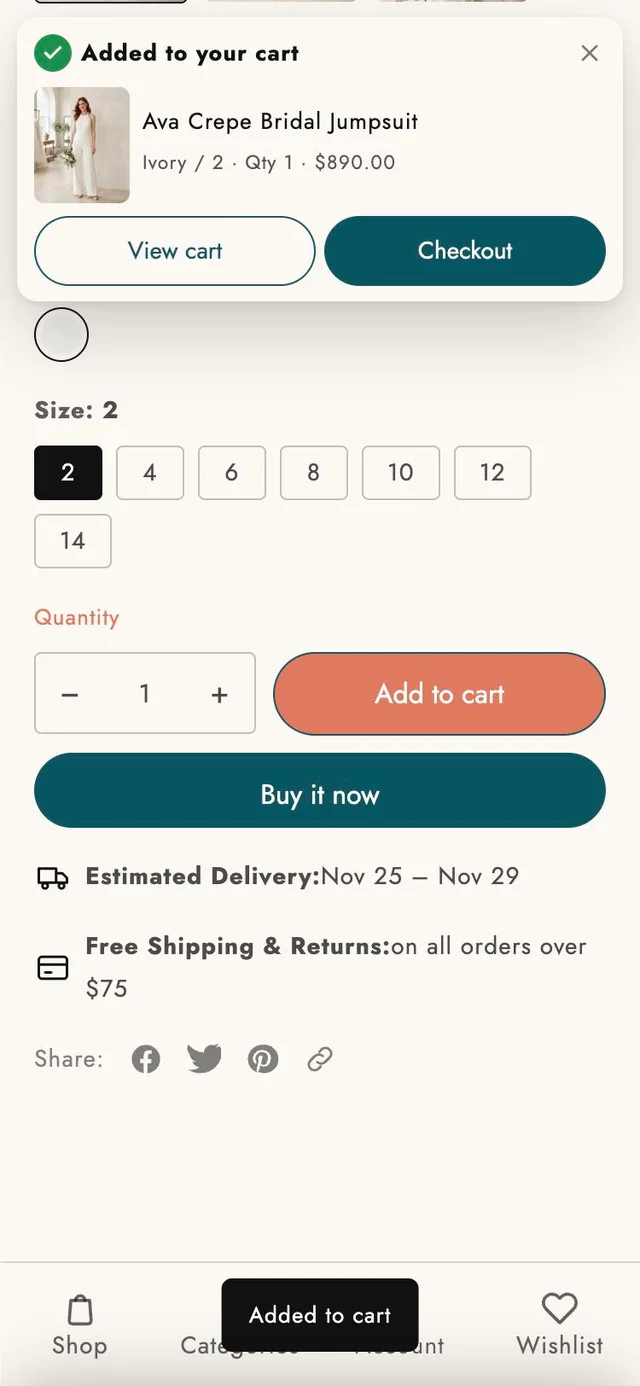
- Notification: a short message confirms the item was added, with buttons to view the cart or check out.
Cart drawer options#
| Group | Options |
|---|---|
| Drawer and colours | Width, colours and the backdrop behind the drawer. |
| Heading and labels | The drawer title and the item count. |
| Checkout and View cart buttons | Button style and text. |
| Empty cart | Message, image and a button to keep shopping. |
| Tools row | Quick buttons for Note, Shipping (a shipping rate estimator) and Coupon (a discount code field). |
| Notification | The look of the notification cart type. |
Cart page#
The cart page uses the Cart Items Table section. Choose the columns, image shape, the remove link style, the quantity selector, the order note, the subtotal and tax note, and the checkout buttons.
For a free-shipping progress bar, cart upsells or free gifts, use Templeto Kit. Its cart tools fit the Templeto cart drawer.