
Convert more visitors
Spin to win
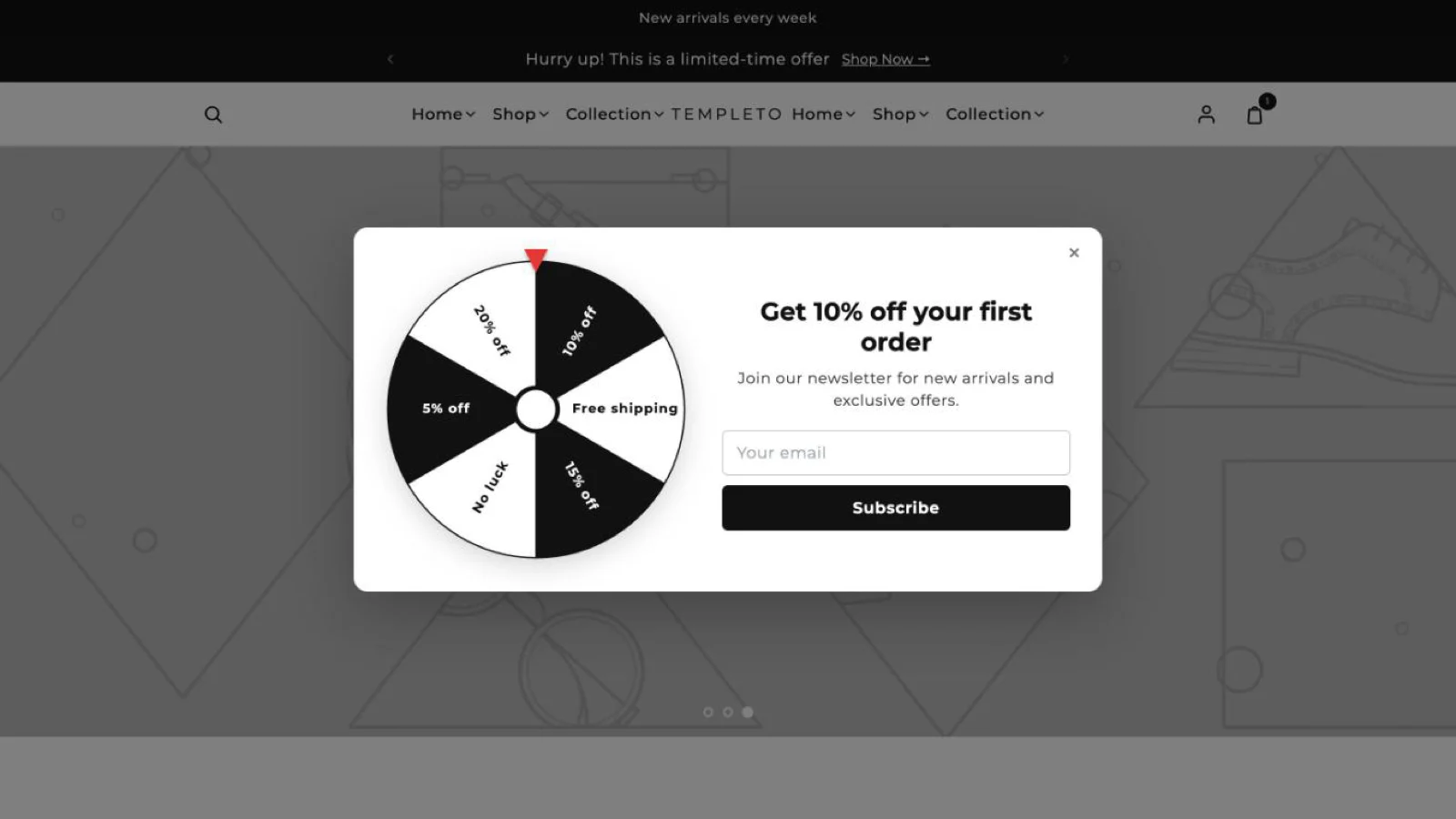
A prize wheel in the email popup. Shoppers enter their email, spin, and win a real Shopify discount code. You set the slices and the chance of landing on each.
| Plan | Starter, Growth or Pro |
| Shoppers see it | All pages |
| In the app | Templeto Kit → Features → Spin to win |
| Theme setup | The Templeto Kit app embed |
Set it up#
- In your Shopify admin, open Apps → Templeto Kit → Features → Spin to win.
- Set the wheel's prizes and the chance of each.
- Save. Each prize gives a real Shopify discount code in exchange for an email.
- Make sure the Templeto Kit app embed is on. Nothing else needs adding to the theme.
Turn it on#
Spin to win is a type of email popup. In Templeto Kit → Popups → Email popup, set Type to Spin to win: email, then spin a prize wheel. The popup's content, timing and pages work the same way as the newsletter popup.
Wheel slices#
The wheel has six slices. For each one:
| Setting | What it does |
|---|---|
| Slice 1–6 | The label on the wheel, such as "10% off". |
| Chance | A weight. A slice with 20 is twice as likely as one with 10. 0 = the wheel never lands there. |
| Code | The Shopify discount code the shopper wins. Leave it empty for a "No luck" slice. Choose New code to create one. |
The defaults are 10% off (30), free shipping (20), 15% off (15), no luck (15), 5% off (20) and 20% off (0, so never won). Fill in the codes before you turn it on.
Good to know#
- Shoppers can spin once. The result and code show straight away, and they can copy the code.
- Sign-ups are added to your Shopify customers with email marketing consent, as with the newsletter popup.
- Codes don't stack with other order discounts, such as spend & save. Shopify gives the better one.