
How offers work
Bundles, volume discounts, mix & match, buy X get Y, free gifts and spend & save are offers. Each offer is a real Shopify automatic discount: it applies in checkout on its own, with no code to type, and shows in your orders and reports like any other discount.
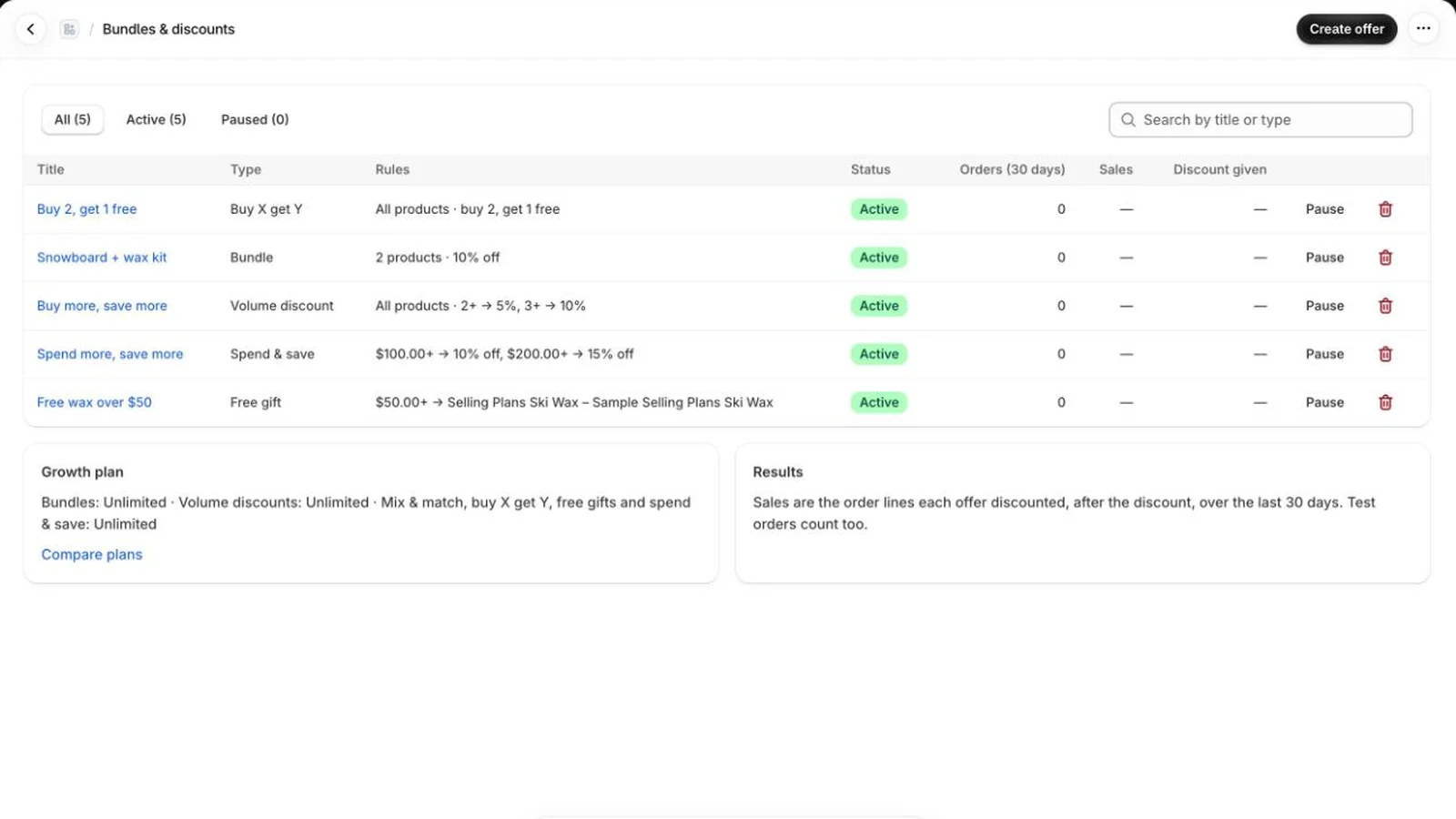
Create an offer#
- Open Templeto Kit → Bundles & discounts and choose Create offer.
- Pick a template, or See all templates. Templates fill in a sensible starting point that you can change:
| Template | Type | Starts with |
|---|---|---|
| Frequently bought together | Bundle | 10% off when bought as a set |
| Set price bundle | Bundle | A fixed price for the set |
| Buy more, save more | Volume discount | 2 save 5%, 3 save 10%, 4 save 15% |
| Mix & match any 3 | Mix & match | 2 save 10%, 3 save 15% from a collection |
| Buy 2, get 1 free | Buy X get Y | The cheapest of three items free |
| Buy 1, get 1 at 50% off | Buy X get Y | A second item at half price, once per order |
| Free gift over an amount | Free gift | A free product once the cart reaches $75 |
| Spend more, save more | Spend & save | Two spend tiers off the whole order |
- Fill in the offer and choose Save. The discount is created in Shopify → Discounts straight away.
Title and checkout message#
Every offer has two names:
- Title shows in your Shopify admin's discounts list, and as the heading of the storefront block unless the block sets its own.
- Checkout message shows to customers next to the discount, in the cart and at checkout, for example "Bundle discount".
Pause, turn on or delete#
On Bundles & discounts, each offer has Pause or Activate, and a delete option. Pausing switches the Shopify discount off without losing the offer. Deleting removes the discount from your store.
Edit offers in Templeto Kit, not in Shopify → Discounts. The offer's rules live in the app, and saving the offer in the app writes them to Shopify again.
How offers stack#
- Product offers (bundles, volume, mix & match, buy X get Y and free gifts) combine with each other across different cart lines, and with order and shipping discounts. Shopify still applies only one product discount to any one line.
- Spend & save is an order discount. It combines with product offers and free shipping, but not with other order discounts, such as a 10%-off code.
- The free shipping given by the free-shipping bar combines with everything except other shipping discounts.
Offers and your plan#
The Free plan includes 1 bundle and 1 volume discount. Mix & match, buy X get Y, free gifts and spend & save need Starter or higher. If you move to a plan that doesn't include an offer, it's marked Not in plan and stops applying in checkout until you upgrade. See Plans and billing.