
Reuse screens and modules
Take one screen, or a whole module, from UIUX into your own project.
Copy a single screen#
Here's how to copy the home pages from the Screens module, as an example.
Add the dependencies the screen uses to your project, if it doesn't have them yet.
Copy the screen's Java files into your project.
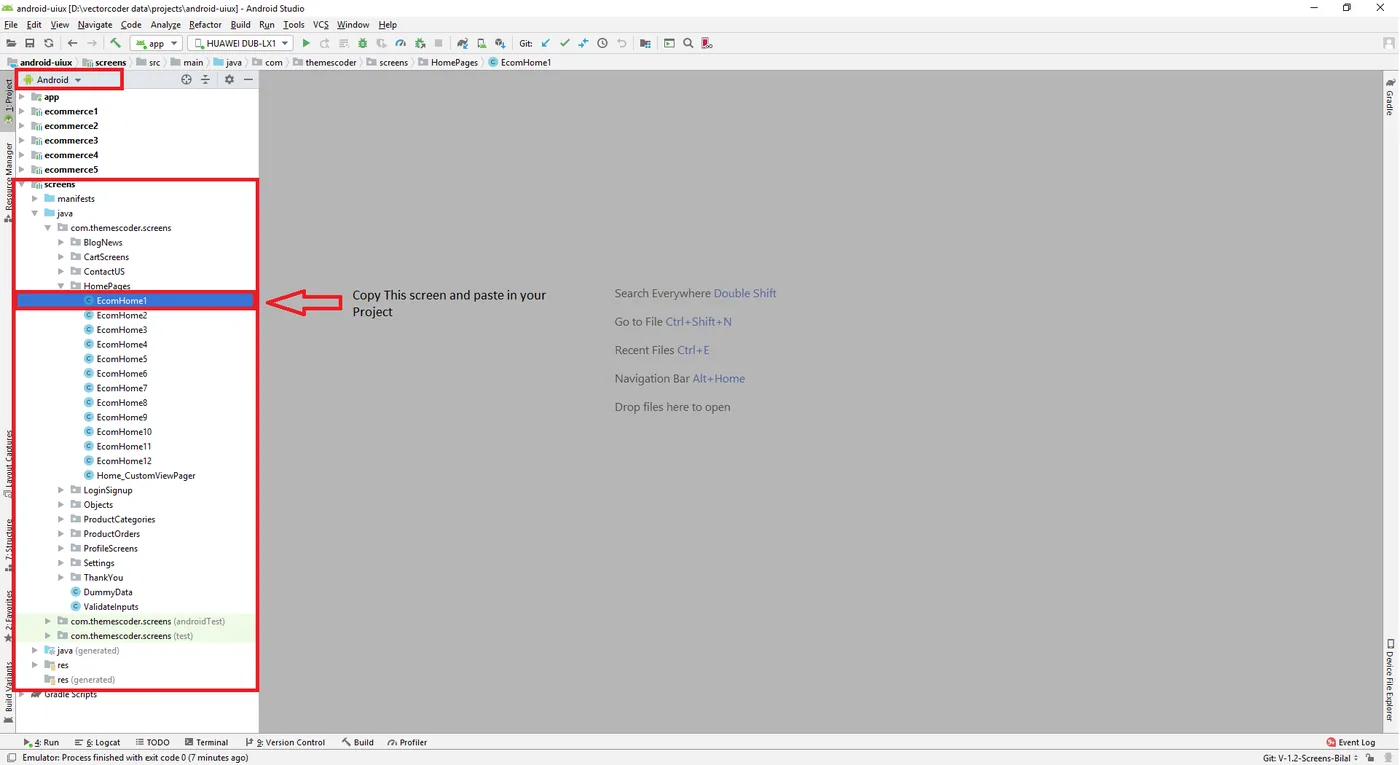
Rename the files as you like for your project.

Android Studio shows errors at first. Copy every file the screen needs, then remove the old imports and re-import them with Alt+Enter.

Copy the screen's XML layouts, drawables, fonts, menus and values. You'll find them all in the Screens module.
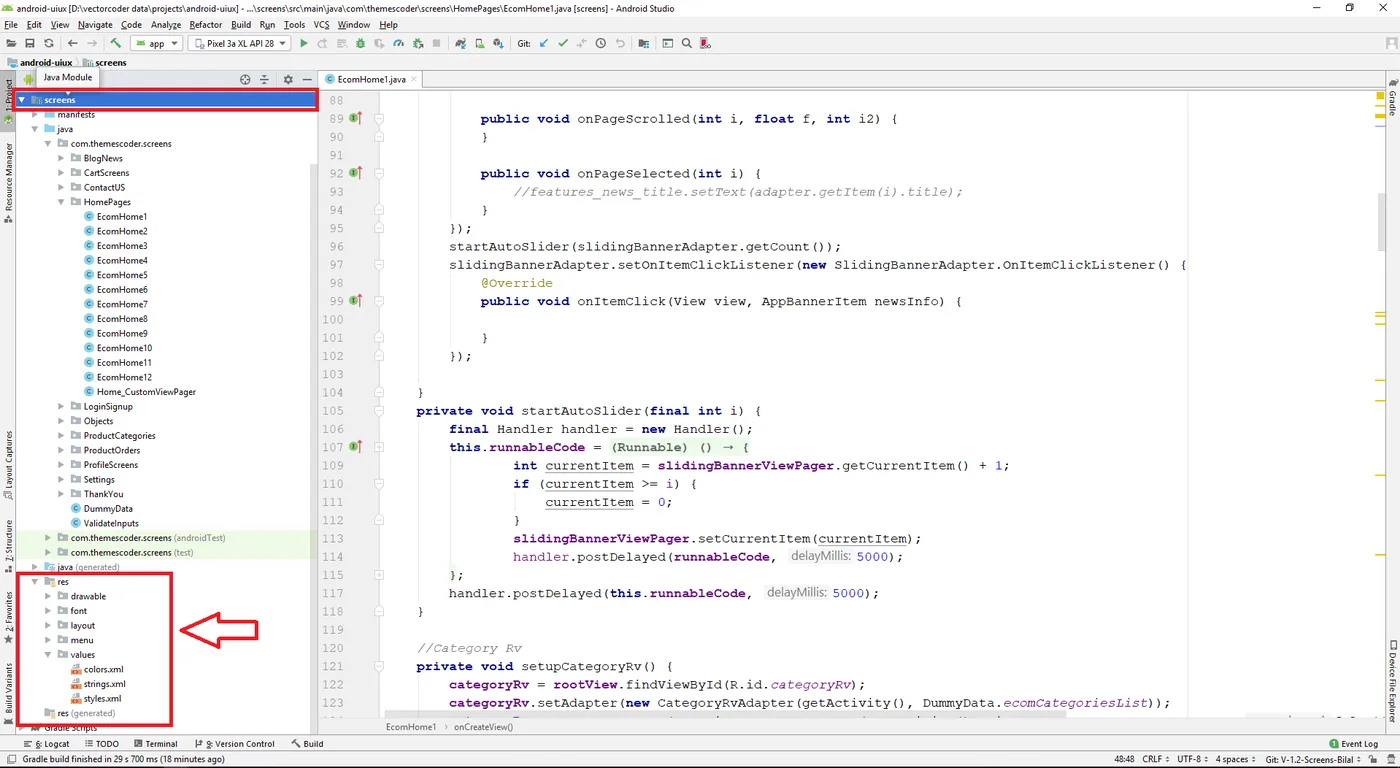
Each module keeps its own data and resources, so everything a screen needs is in its module.
Copy a module#
Open the module you want and copy all its Java files, its manifest file and all its resources into your project.
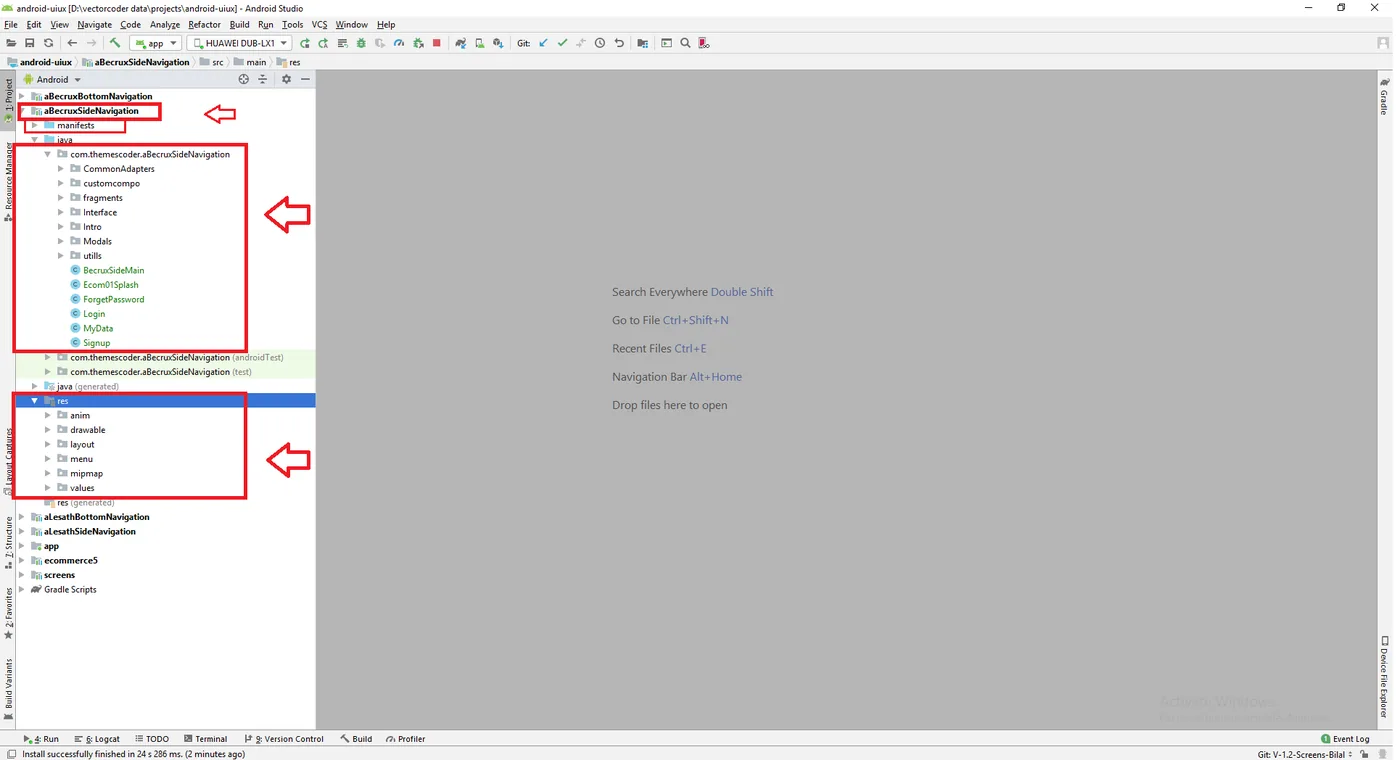
After copying you'll see many errors. They come from the changed package name: re-import (Alt+Enter) and they go away.