Themes Coder Android UIUXDocs
Build with UIUX

Where to add your keys

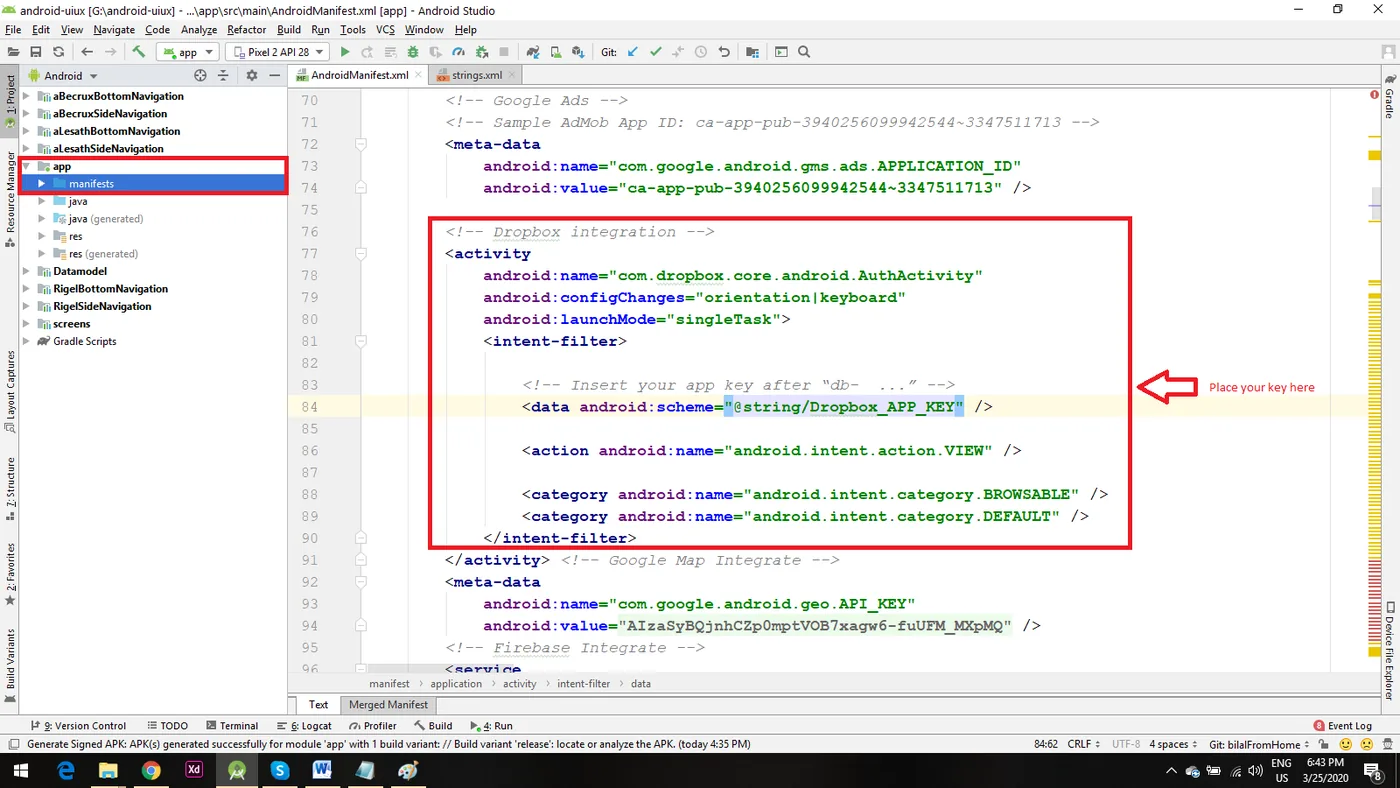
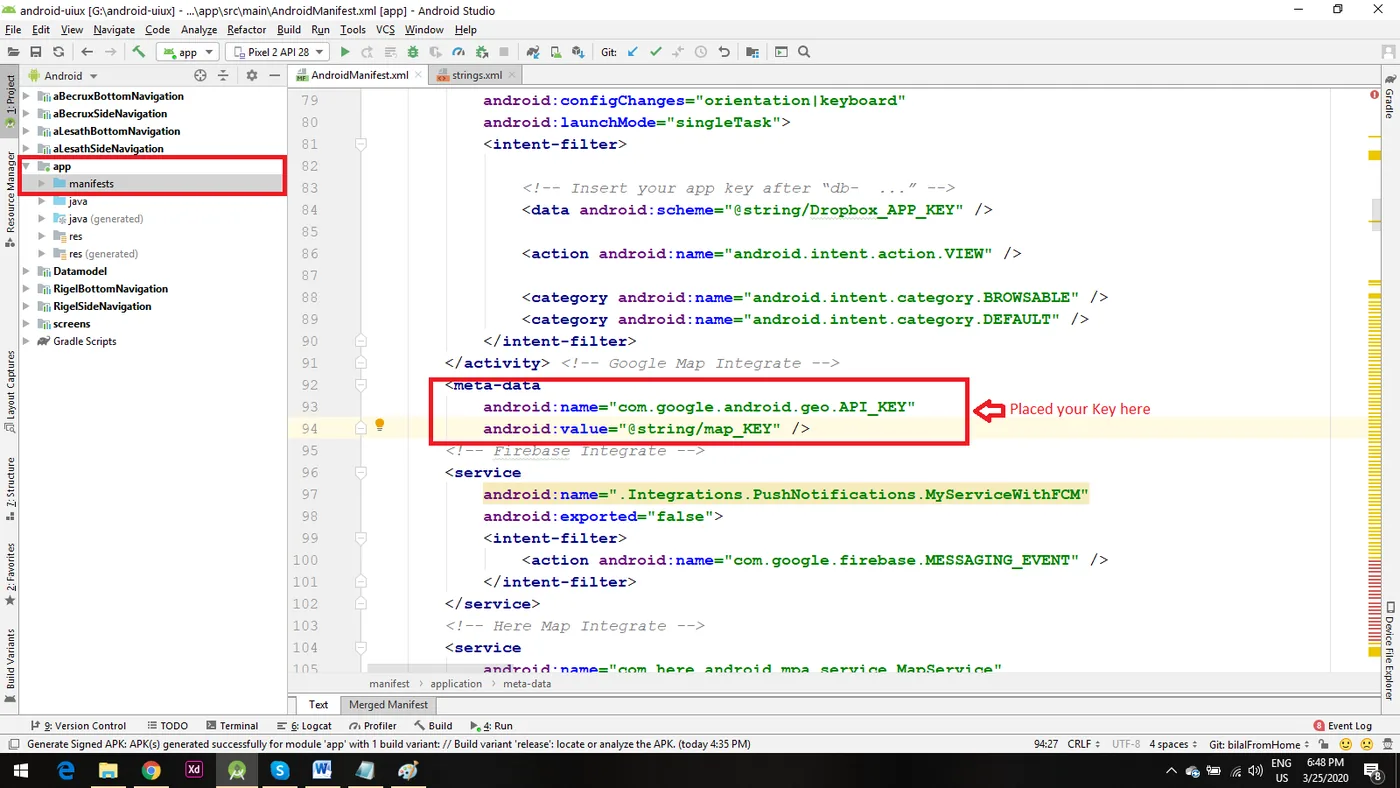
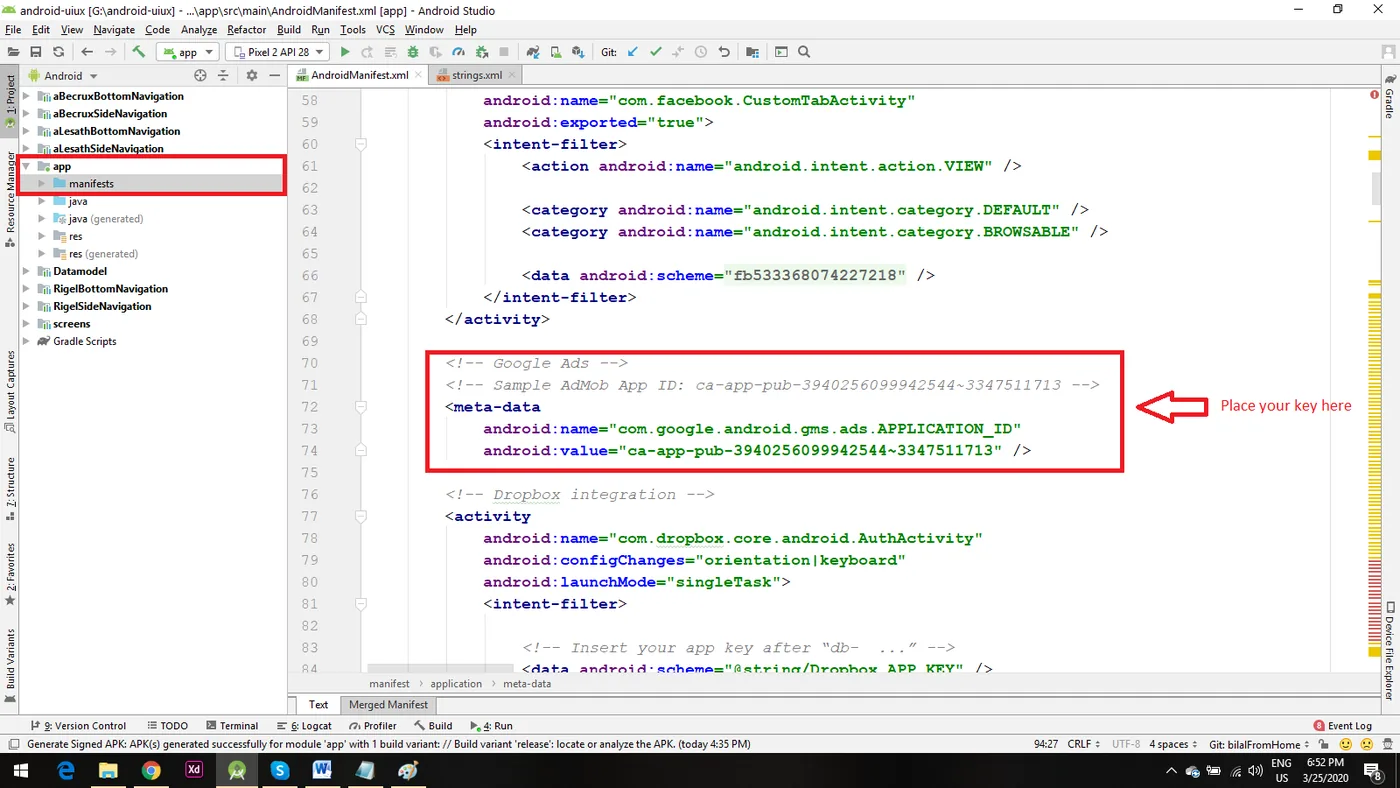
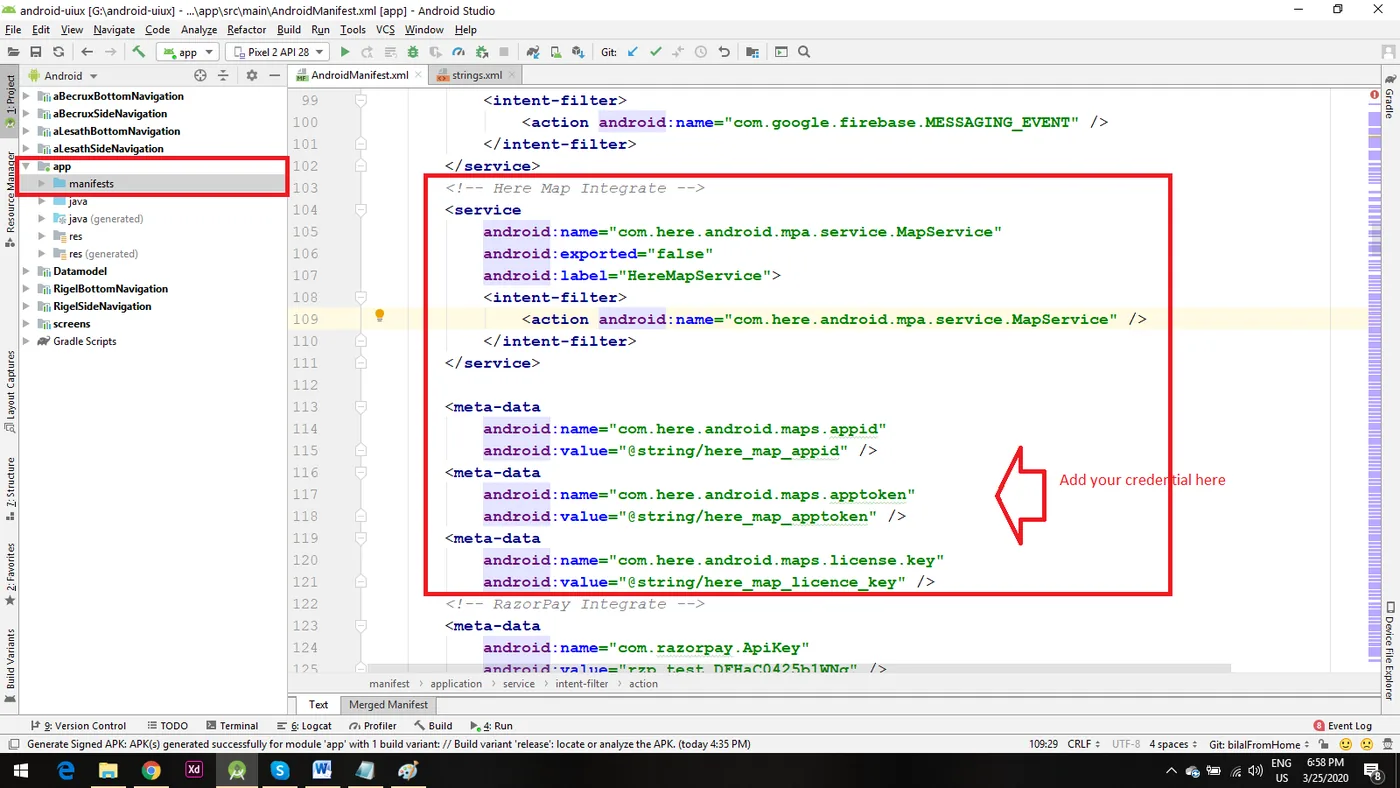
The screenshots below show the file and line for each service's key. The highlighted box marks where your key goes.

Facebook#

Facebook app ID in the project

Dropbox#

Dropbox key in the project

Google Maps#

Google Maps key in the project

Google Ads (AdMob)#

AdMob IDs in the project

HERE Maps#

HERE Maps keys in the project

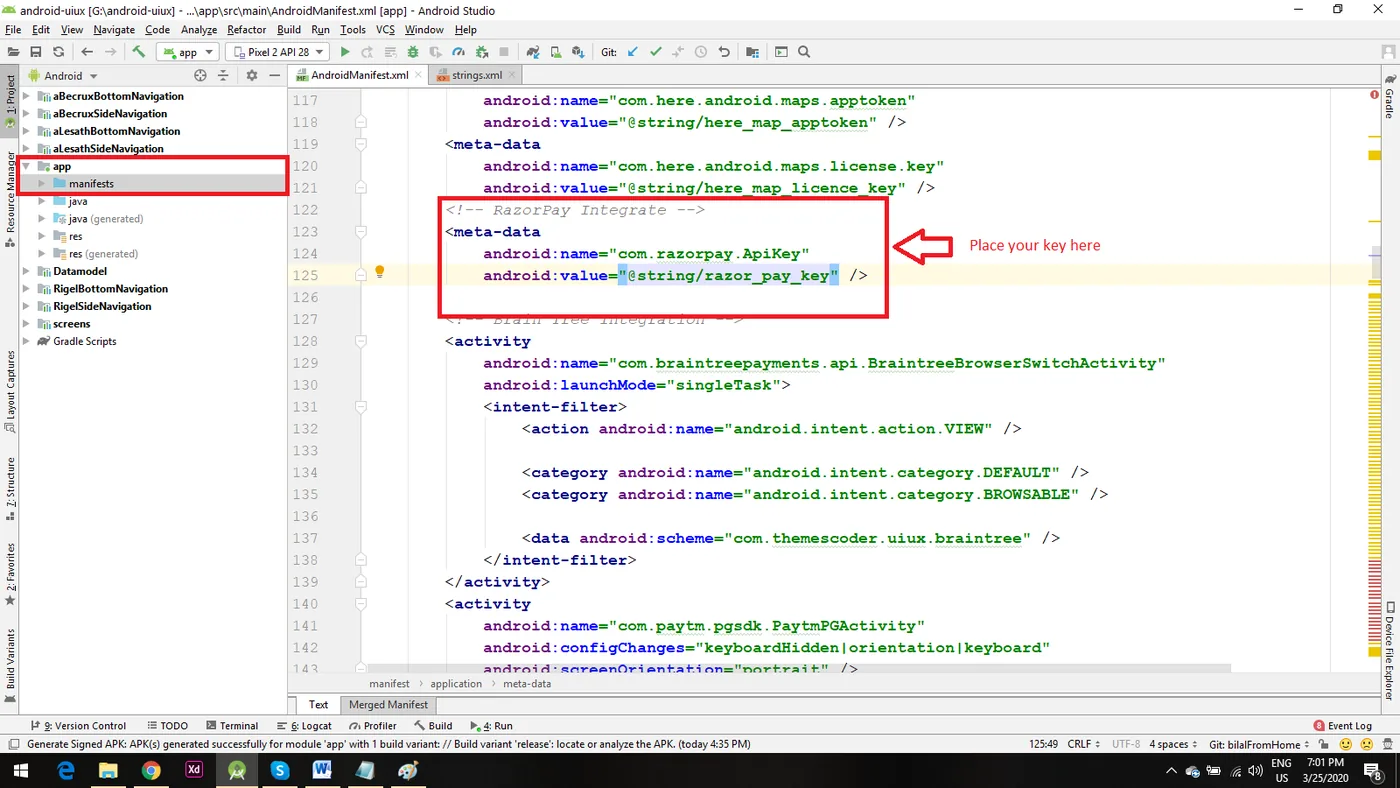
Razorpay#

Razorpay key in the project

Stripe#

Stripe key in the project

YouTube#

YouTube API key and channel ID in the project

LINE#

LINE channel ID in the project

Flurry Analytics#

Flurry key in the project

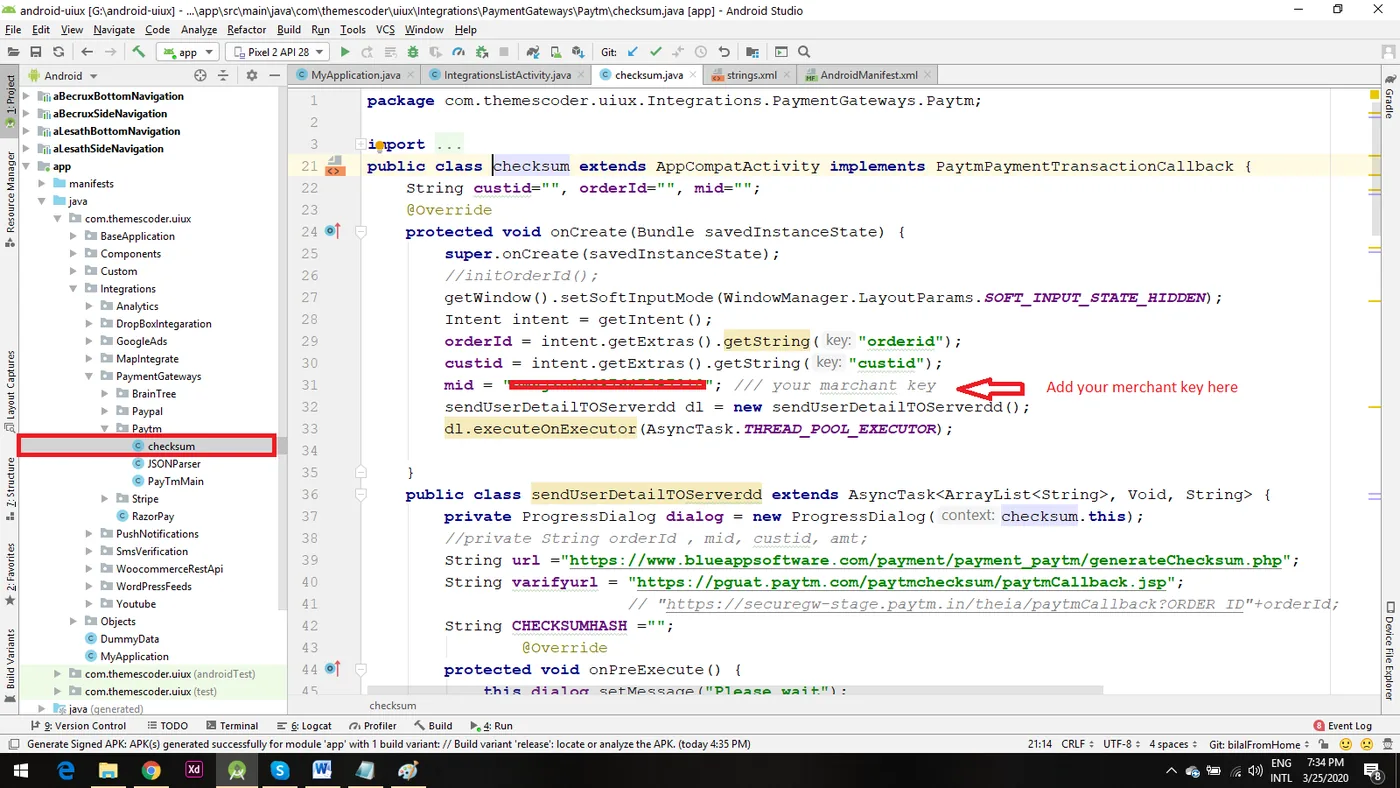
Paytm#

Paytm keys in the project

PayPal#

PayPal client ID in the project

OneSignal#

OneSignal app ID in the project

WordPress and WooCommerce#

Add your WordPress site URL for the feeds, and your WooCommerce REST API URL, consumer key and consumer secret.

WordPress and WooCommerce credentials in the project

Mini apps (UIUX Pro)#

UIUX Pro only: add the credentials for the mini apps.
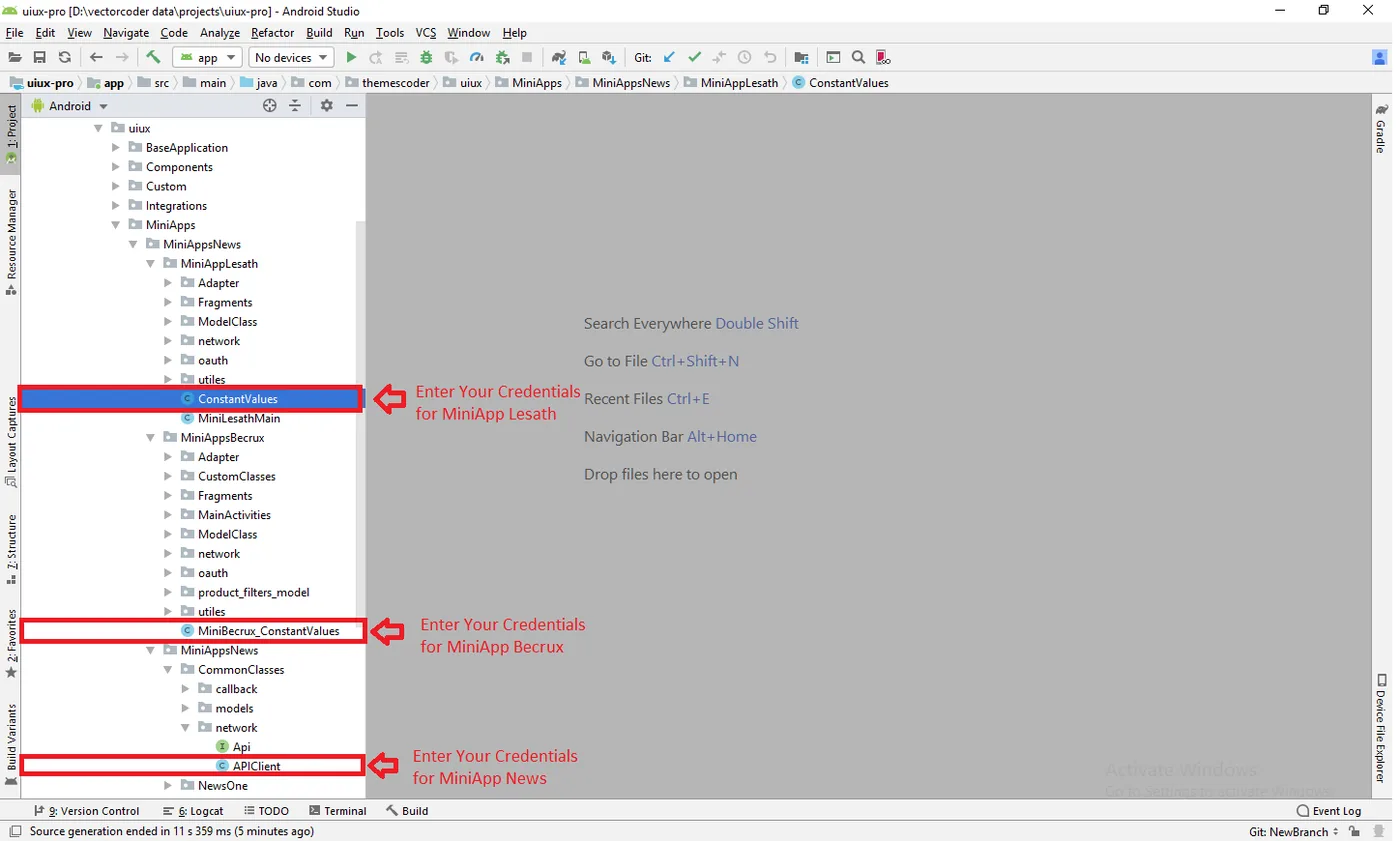
Mini apps credentials in UIUX Pro