
Layout options
The switcher on the demo pages toggles these options so you can preview them, but it doesn't save anything: to keep an option, put it in your HTML.
Right-to-left (RTL)#
For Arabic, Hebrew, Urdu and other right-to-left languages, add the bodyrtl class to <body>:
<body class="bodyrtl">
The RTL rules are already compiled into style.css, so nothing else is needed. Remove the class to go back to left-to-right.
Boxed layout#
The site is full width by default. For a boxed layout, add boxed to the <html> tag:
<html class="no-js boxed" lang="en">
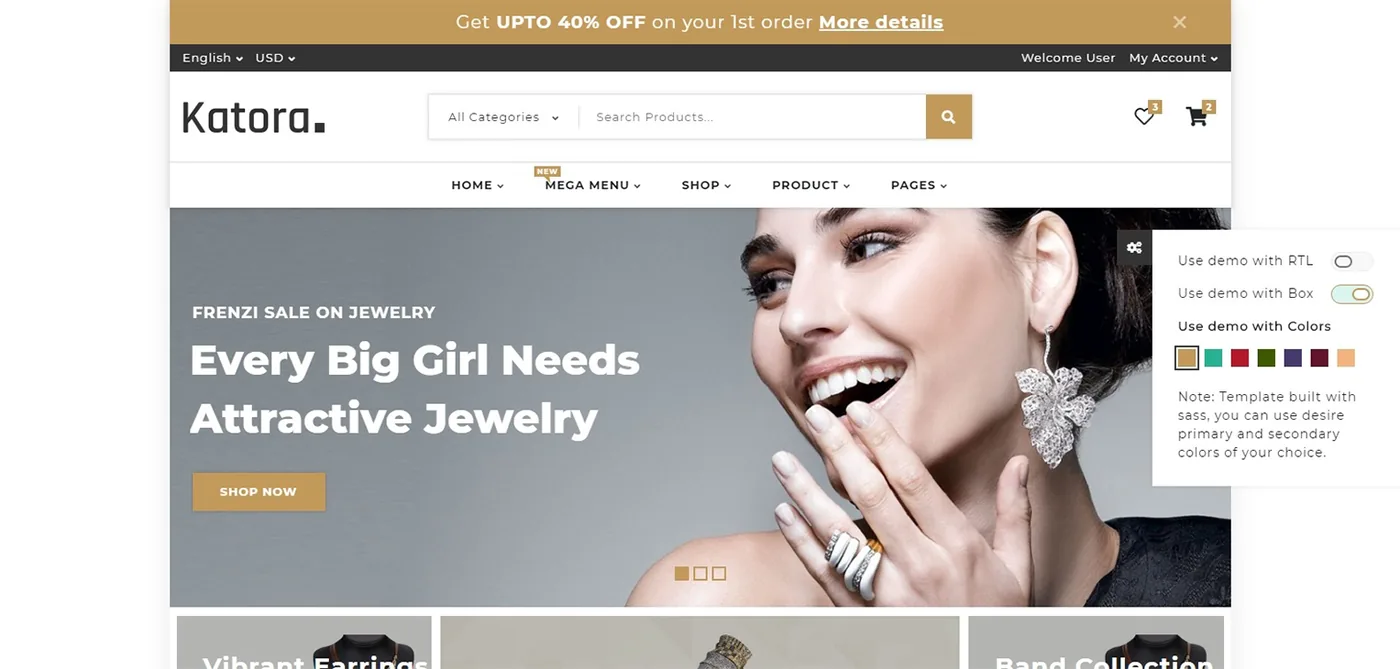
The pages ship with lang="zxx" on <html> (a placeholder for "no language"). Change it to your site's language, for example lang="en", so browsers and search engines read the pages correctly.
Mega menu#
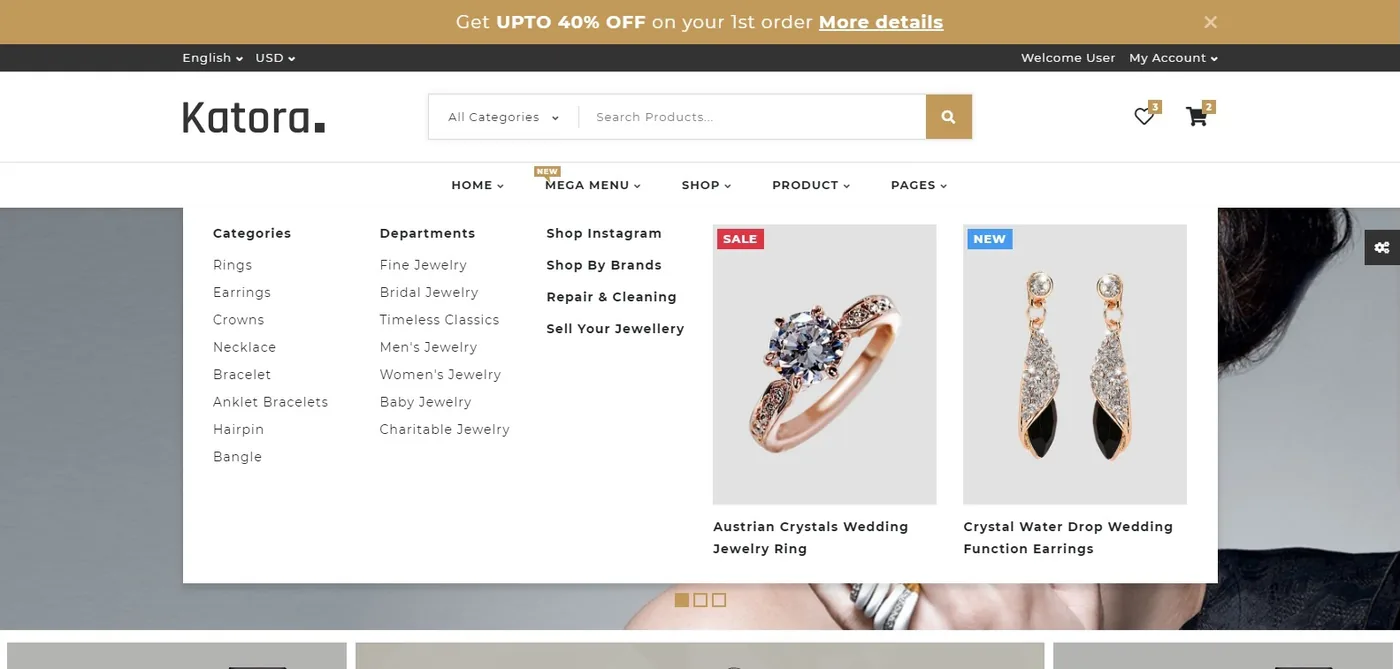
The headers include a mega menu that works like a site map: shoppers see your categories and pages at a glance. Copy one from any home page header and change the links.
Popups#
The storefront has two modals:
- Newsletter: a subscribe popup that opens on the home page (
#newsletterModal, near the end ofindex.html). Delete the block to stop the popup. - Product quick view: opens from a product card, with images, price, options and an add-to-cart button.
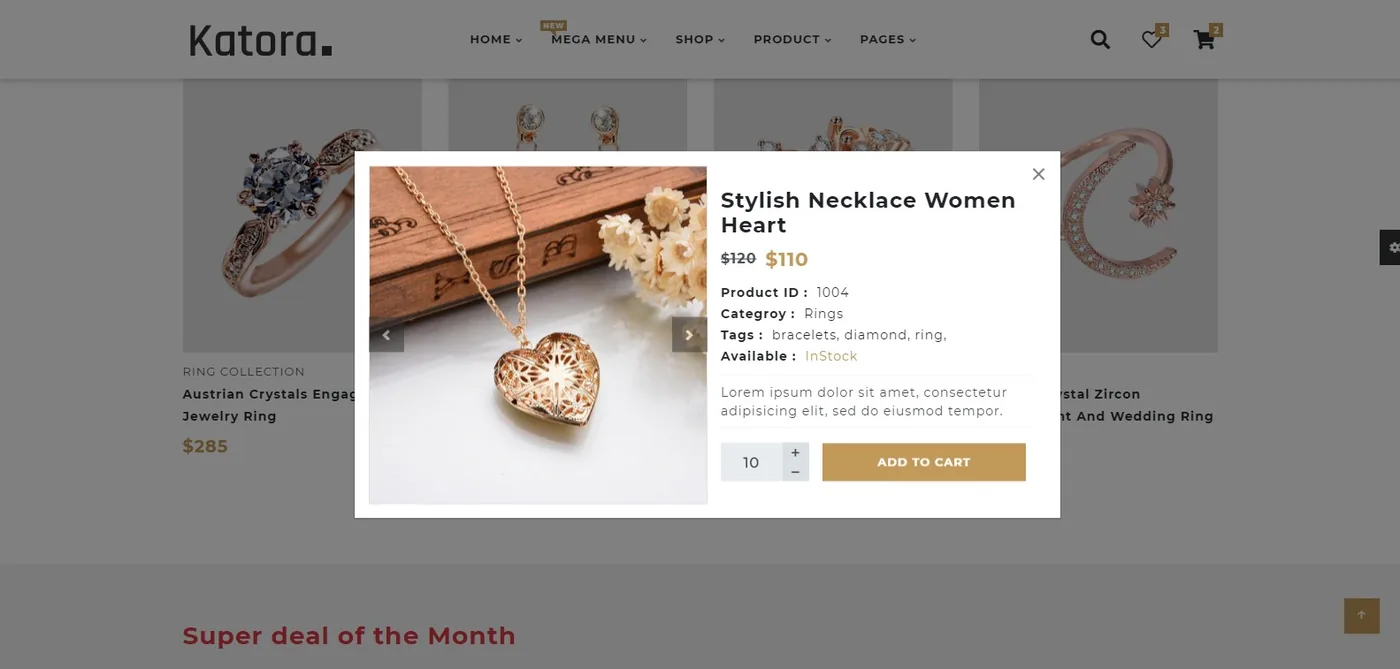
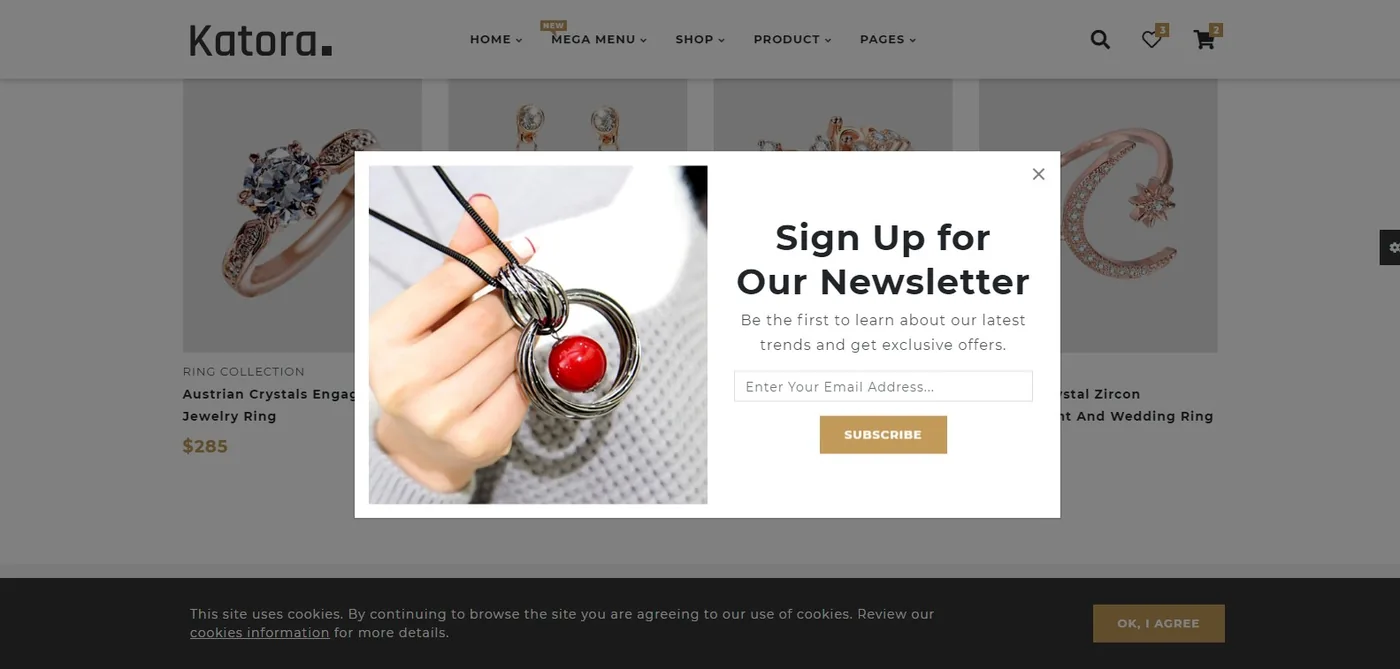
Their styles are in scss/components/_modal.scss.
Contact form#
The contact pages' forms post nowhere yet (action="#"). contact.php is a starting point for sending the message by email, but it needs two changes before you use it:
- Send to your own address. As shipped it emails the address the visitor typed (
mail($email, …)); replace$emailin themail()call with your address, and set$fromto an address on your domain. - Clean the input. Escape the fields before putting them in the email (for example
htmlspecialchars()), and strip line breaks from the subject.
Then point the form at it with action="contact.php" method="post". Your host must allow PHP's mail(); if it doesn't, use a form service instead.