Media Management
This chapter covers Media and Media Settings.
Media#
Media -> Manage Media In manage media you can upload all your images related to the website and create tags while uploading it. Tags will help you to sort your images and help you to find the related images.
- Click on the “Add New” and upload the media
- Add tags that you want to add.
- Click on the “Submit” button to add the images.
Please follow the URL mentioned below/ From this URL you can change the following.
Open https://your-site.com/admin/media
Media Settings#
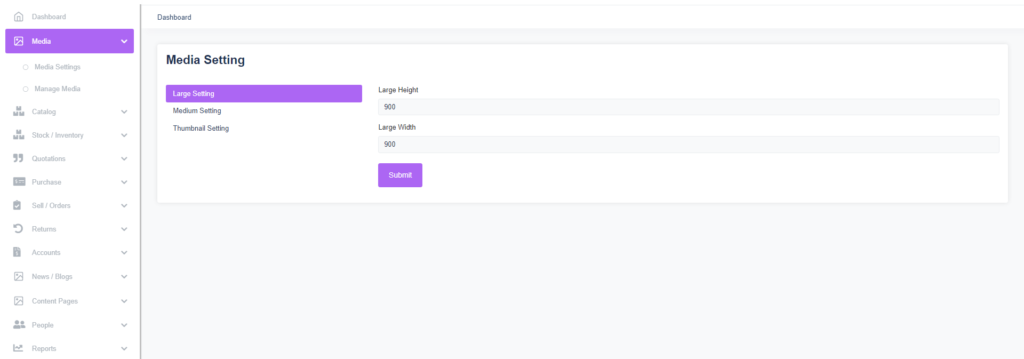
Media-> Media Settings
In media settings you can adjust the size of your uploaded images that you will use in your thumbnails.The original image that you will upload will remain the same and you can also adjust the size according to your requirements in large, medium thumbnails.
Please follow the URL mentioned below/ From this URL you can change the following:
Open https://your-site.com/admin/media-setting